Introduction
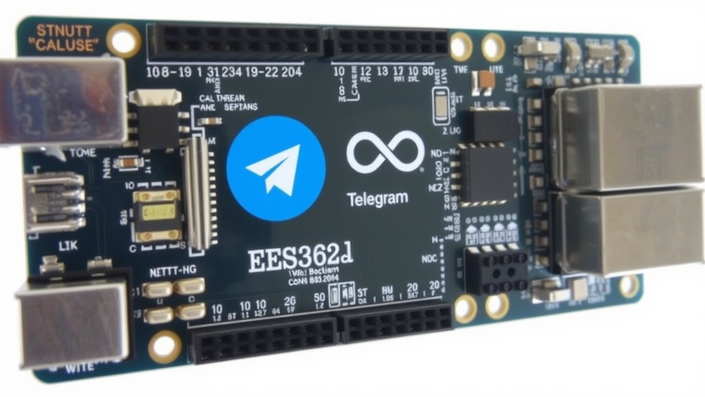
With the advancement of technology and the Internet of Things (IoT), it has become easier to control and monitor devices remotely. One such project is Controlling ESP32 via Telegram, which allows users to control their ESP32 board using the popular messaging app, Telegram. This project is a great way to explore the capabilities of the ESP32 board and its potential applications in IoT. In this blog post, we will delve into the details of this project and provide a step-by-step guide on how to control your ESP32 board using Telegram.
The ESP32 board is a low-cost, low-power system-on-chip (SoC) that is widely used in IoT projects. It has built-in Wi-Fi and Bluetooth capabilities, making it an ideal choice for projects that require wireless communication. Telegram, on the other hand, is a popular messaging app that has gained a large following due to its ease of use and security features. By combining these two technologies, we can create a powerful and flexible system that can be controlled remotely using Telegram.
The idea of controlling devices remotely using Telegram is not new, but it has gained significant attention in recent years due to its potential applications in various fields such as home automation, industrial automation, and robotics. With the help of this project, users can control their ESP32 board using simple commands sent through Telegram, making it a great way to explore the capabilities of the board and its potential applications in IoT.
Step-by-Step Instructions
To get started with the project, you will need an ESP32 board, a computer with internet access, and a Telegram account. The first step is to set up the ESP32 board and connect it to your Wi-Fi network. This can be done by uploading a simple sketch to the board that connects it to your Wi-Fi network. Once the board is connected to the internet, you can proceed to set up the Telegram bot that will be used to control the board.
The next step is to create a Telegram bot that will be used to control the ESP32 board. This can be done by talking to the BotFather bot in Telegram and following the instructions to create a new bot. Once the bot is created, you will receive an API token that will be used to interact with the bot. You can then use this token to send commands to the bot, which will in turn control the ESP32 board. For example, you can use the command “/led_on” to turn on an LED connected to the board, or “/led_off” to turn it off.
To control the ESP32 board using Telegram, you will need to upload a sketch to the board that interacts with the Telegram bot. This sketch will use the WiFi library to connect to your Wi-Fi network and the Telegram library to interact with the bot. When a command is received from the bot, the sketch will execute the corresponding action on the board. For example, if the command “/led_on” is received, the sketch will turn on the LED connected to the board.
One of the key benefits of Controlling ESP32 via Telegram is that it allows users to control their devices remotely using a simple and intuitive interface. The Telegram app is easy to use and provides a secure way to interact with your devices. Additionally, the ESP32 board is a low-cost and low-power device, making it an ideal choice for IoT projects. By combining these two technologies, users can create a powerful and flexible system that can be controlled remotely using Telegram.
In addition to controlling the ESP32 board, the Telegram bot can also be used to monitor the status of the board and receive notifications when a certain event occurs. For example, you can use the bot to monitor the temperature and humidity levels in a room and receive notifications when they exceed a certain threshold. This makes the project a great way to explore the capabilities of the ESP32 board and its potential applications in IoT.
Another benefit of the project is that it provides a great way to learn about the ESP32 board and its capabilities. The board is a powerful and flexible device that can be used in a wide range of IoT projects, from simple home automation projects to complex industrial automation projects. By working on this project, users can gain a deeper understanding of the board and its capabilities, making it a great way to learn about IoT and robotics.
Conclusion
In conclusion, Controlling ESP32 via Telegram is a great project that provides a powerful and flexible way to control and monitor devices remotely. The project uses the ESP32 board and the Telegram app to create a system that can be controlled remotely using simple commands. The project is a great way to explore the capabilities of the ESP32 board and its potential applications in IoT, and it provides a great way to learn about the board and its capabilities.
The project is also a great way to demonstrate the potential of IoT and robotics, and it provides a great way to showcase the capabilities of the ESP32 board. By working on this project, users can gain a deeper understanding of the board and its capabilities, and they can explore the potential applications of the project in various fields such as home automation, industrial automation, and robotics.
Overall, the project is a great way to learn about IoT and robotics, and it provides a great way to explore the capabilities of the ESP32 board. With the help of this project, users can create a powerful and flexible system that can be controlled remotely using Telegram, making it a great way to demonstrate the potential of IoT and robotics. By using Controlling ESP32 via Telegram, users can create a system that is easy to use, secure, and flexible, making it a great way to explore the capabilities of the ESP32 board and its potential applications in IoT.


